What is this?
 This free site lest you create and manage paperless activity plans and permission slips for events and activities of the Church of Jesus Christ of Latter-day Saints. Its product is filled-out copies of the most current church-supplied forms:
Permission and Medical Release Form and Event and Activity Plan, as well as Rosters for your activity in PDF and CSV formats.
This free site lest you create and manage paperless activity plans and permission slips for events and activities of the Church of Jesus Christ of Latter-day Saints. Its product is filled-out copies of the most current church-supplied forms:
Permission and Medical Release Form and Event and Activity Plan, as well as Rosters for your activity in PDF and CSV formats.
Where to start?
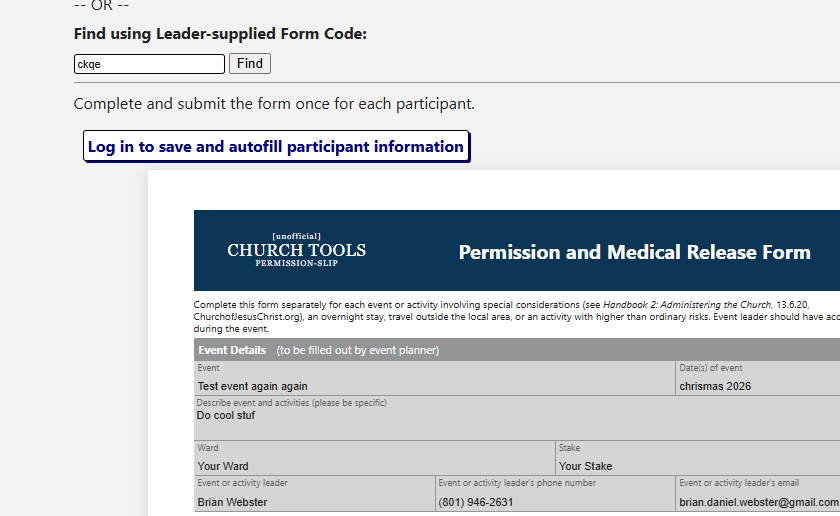 Register Here to create an account, then you can add your first activtiy plan or permission slip. When a new form is created, you'll get tools to collect signatures, if it's an activtiy plan,
or links for participants to fill your form, for a permission slip. Fill out a Permission Slip Most people are going to start here, activty participants.
They can fill out the permission slip, and when completed and submitted, will be provided with a paper PDF copy of their filled form. It will be emailed to them and the event leader.
If your place is like mine, we've got half filled out or blank permission slips everywhere. It's the worst. This should fix that.
Register Here to create an account, then you can add your first activtiy plan or permission slip. When a new form is created, you'll get tools to collect signatures, if it's an activtiy plan,
or links for participants to fill your form, for a permission slip. Fill out a Permission Slip Most people are going to start here, activty participants.
They can fill out the permission slip, and when completed and submitted, will be provided with a paper PDF copy of their filled form. It will be emailed to them and the event leader.
If your place is like mine, we've got half filled out or blank permission slips everywhere. It's the worst. This should fix that.
The Process
1. Make an Activity Plan!
Once you have all the details you need, go here: Add Activity Plan And key in all your details. Submit it.
2. Collect Signatures!
From your Events You can get the link for leaders to sign. Send it to the event leader (or if it's you, sign it yourself), Bishop, and Stake , are presidency if necessary. They'll see all your details for the activty, and they can sign their approval.
3. Crete and Share Permission Slip!
From your Activity Plan, in your events, click "Add Permission Slip". It will pull the details from the Activity plan, and you fill in what's missing. Once Saved, you'll have a link, Form Code, and QR code for sharing your permission silp with any and all participants. Paricipants can come fill and sign (without registering) your permission slip.
4. Export!
Export all your data from your event's details. that's it. You'll have attendees rosters, pdf copies of every submitted form, a blank permission slip (header info filled), and pdf activity plan all in one place.
5. Delete.
When the dust has settled, you can remove all the event data by removing the acivity plan. All your forms and saved activity data is removed from the system.
Parents
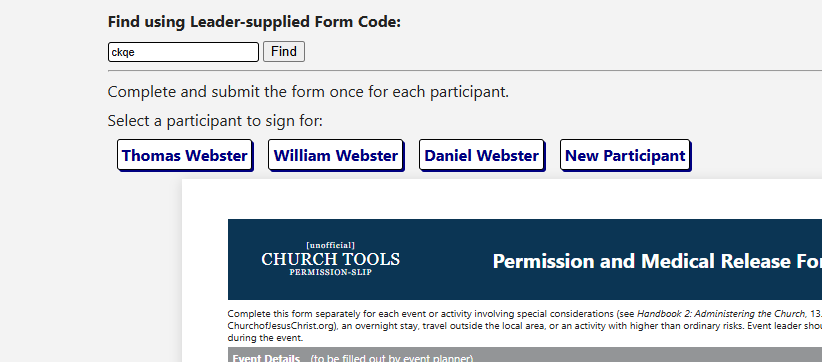 As parents have the responsibility to fill out permission silps, I've tried to make it as easy as possible. If you register for an account, you'll be able to save your childrens' information for future use.
Clicking on a child's name will auto-fill the form with his/her information. Anything can be updated. When you save, if you have opted to, it will update your child's info to the latest.
You can save as many kids' info as you would like. 2 clicks and that thing is signed and submitted.
As parents have the responsibility to fill out permission silps, I've tried to make it as easy as possible. If you register for an account, you'll be able to save your childrens' information for future use.
Clicking on a child's name will auto-fill the form with his/her information. Anything can be updated. When you save, if you have opted to, it will update your child's info to the latest.
You can save as many kids' info as you would like. 2 clicks and that thing is signed and submitted.
Leaders
I'm excited for you.
Gone are the days of lost paperwork. Once registered, you will be able to creat permission slips and activity plans.
Activity Plans
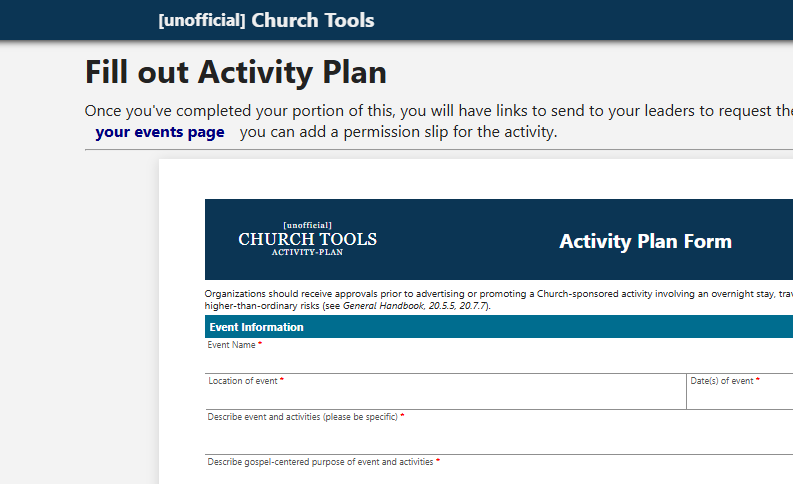 Getting leader signatures and approval of an activity is easier than ever.
Once your details are added to an actiity plan and saved, you will have access to a unique link that you can send to your event leaders.
They acn digitally add their signature, and save. Also, once done, they can export a copy of the form for their records, if they want it.
Getting leader signatures and approval of an activity is easier than ever.
Once your details are added to an actiity plan and saved, you will have access to a unique link that you can send to your event leaders.
They acn digitally add their signature, and save. Also, once done, they can export a copy of the form for their records, if they want it.
Digital Signatures
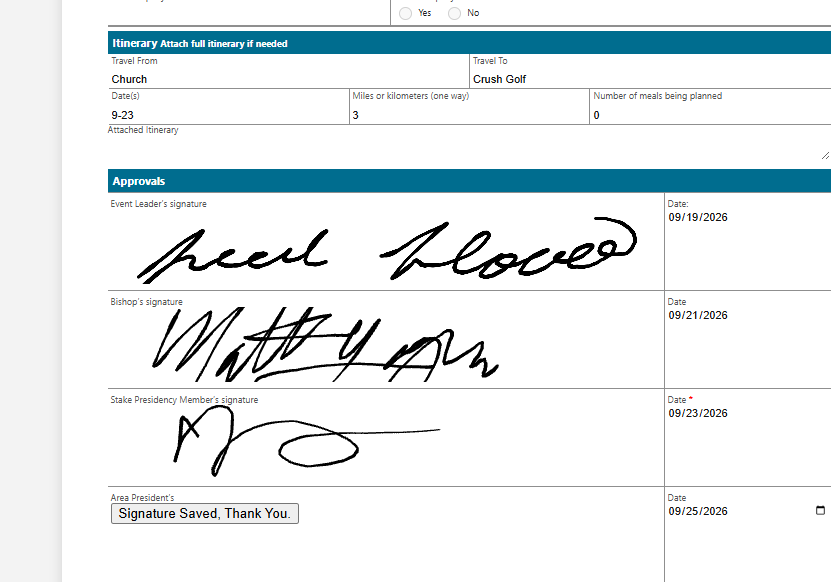 We collect real digital signatures for participants, parents or guardians, and leaders for all our forms. On activity plans, the leader will have a unique link that he/she can send to the event leader,
bishop, and stake + area leaders if necessary. They can read through your plan, and add their signatures at the bottom. Also, they can export an official copy of the form from their link.
We collect real digital signatures for participants, parents or guardians, and leaders for all our forms. On activity plans, the leader will have a unique link that he/she can send to the event leader,
bishop, and stake + area leaders if necessary. They can read through your plan, and add their signatures at the bottom. Also, they can export an official copy of the form from their link.
Permission Slips
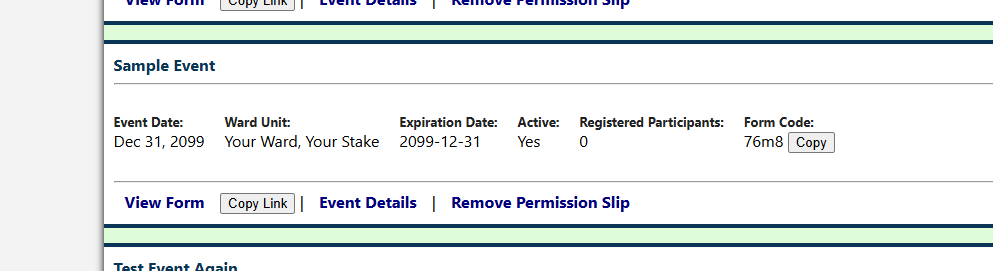 On its own, or accompanied by an activity plan, permission silps are easy to manage. You fill out the top half, and will get:
1. a link to the fillable form.
2. a Form Code, which your attendees can use to find the form.
3. a QR Code for your print media, flyers,etc, which is a link to the permission slip.
At theclerksoffice.com, there will be links to digital permission slips.
As the leader, you will be notified when sombody fills out the form. You will also be able to see all the attendees for the event, update the form if necessary, and export event data when it's time to go.
Event Data Export
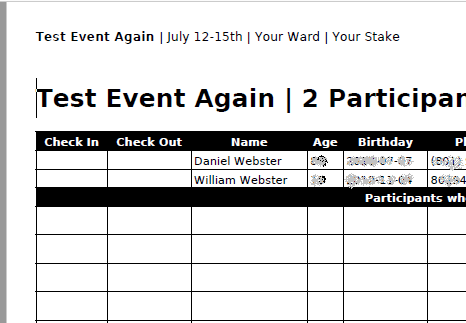 When it's time for your event, you can save:
- Roster of all participants - with blank rows for late-comers.
- PDF paper copy of permission silp - with top filled out, bottom blank, so day-of people have one to sign
- Activity plan with all applicable signatures pdf
- a folder with spreadsheets containing:
- Roster of all participants
- Roster of all special concern participants
- A folder containing all filled permission slips. One for each participant who filled online.